

Milo Withdrawal Guide
Host Payments and Agency Commission, Explained Step by Step
Choose your role below. Hosts and agencies use different withdrawal screens and payment routes.
Milo Withdrawal Policy
The supplied policy sets the host minimum at $10 = 100,000 points. The agency commission screenshot shows the same minimum. Hosts in an agency request withdrawals in the app; after approval, funds go to the guild head’s registered Indian bank account for distribution. Agency commissions are withdrawn separately to the guild head’s own account.
For independent hosts, the policy directs you to Milo operations to confirm the payment method. A valid Indian bank account and IFSC are required for the guild head’s payout. Withdrawals cannot be processed while an account is banned.
Read the Earnings and Policy DetailsHow to Withdraw Your Milo Host Salary
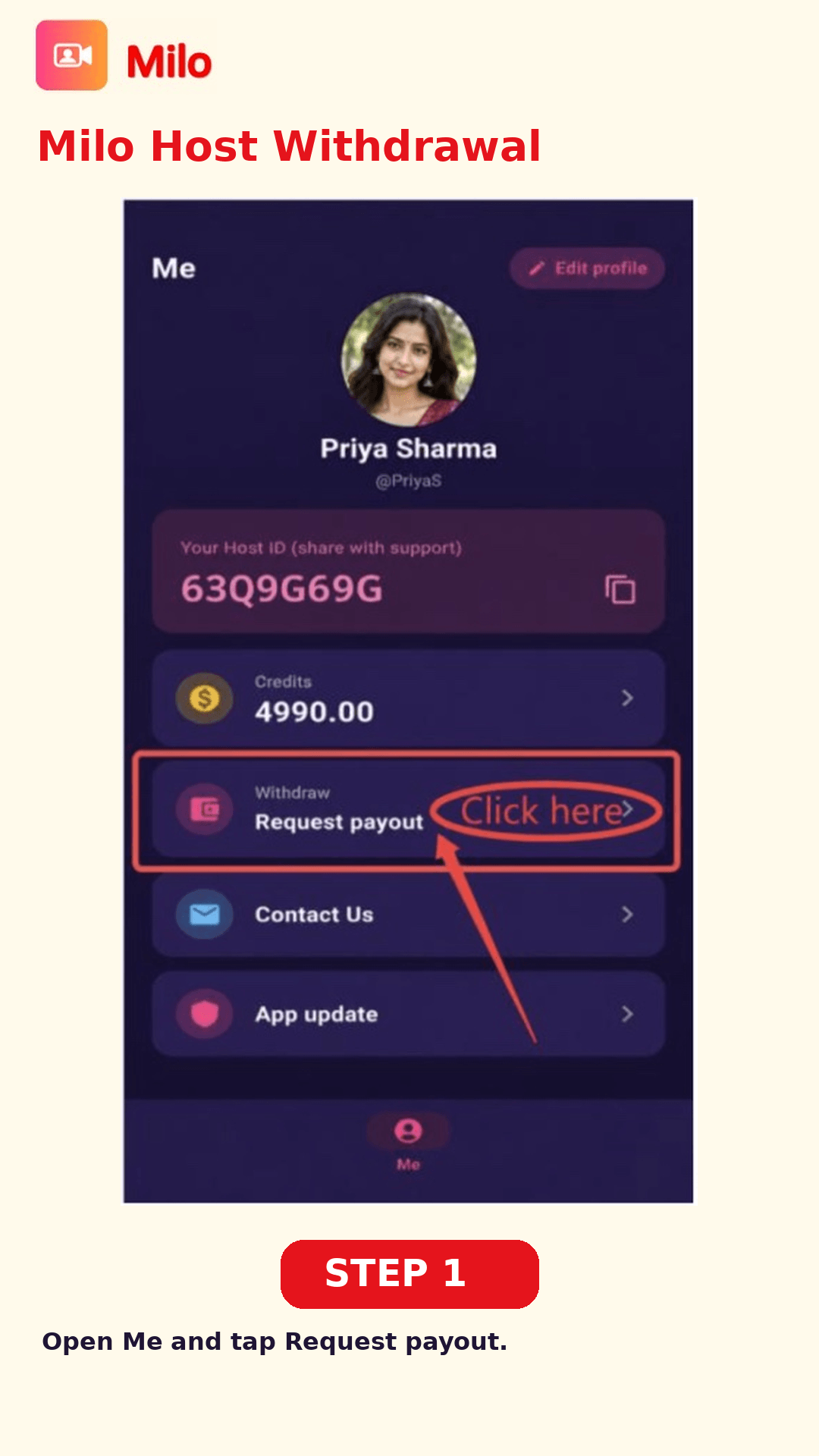
Step 1 of 3: Open Request payoutOpen Me and select Request payout. 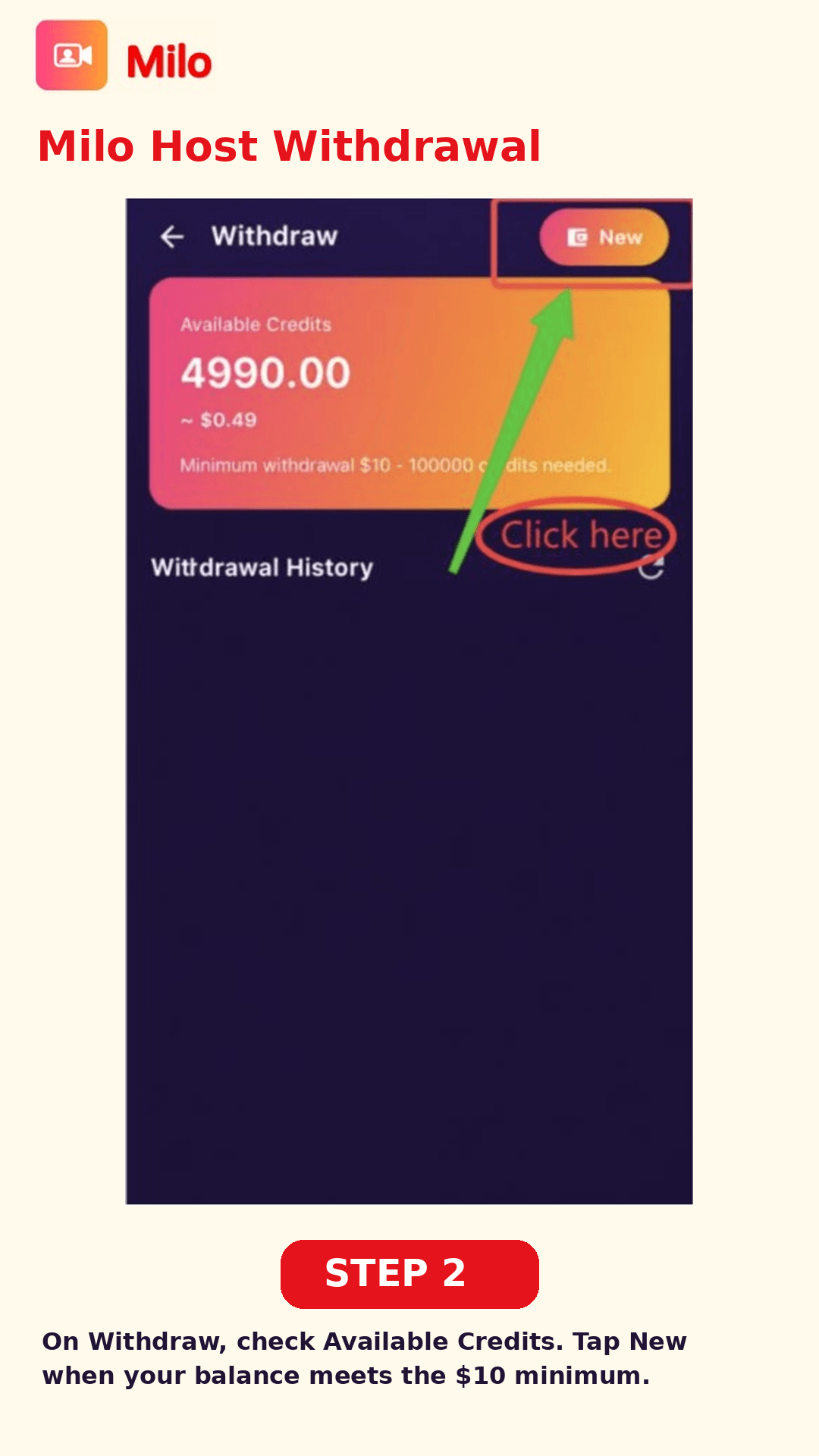
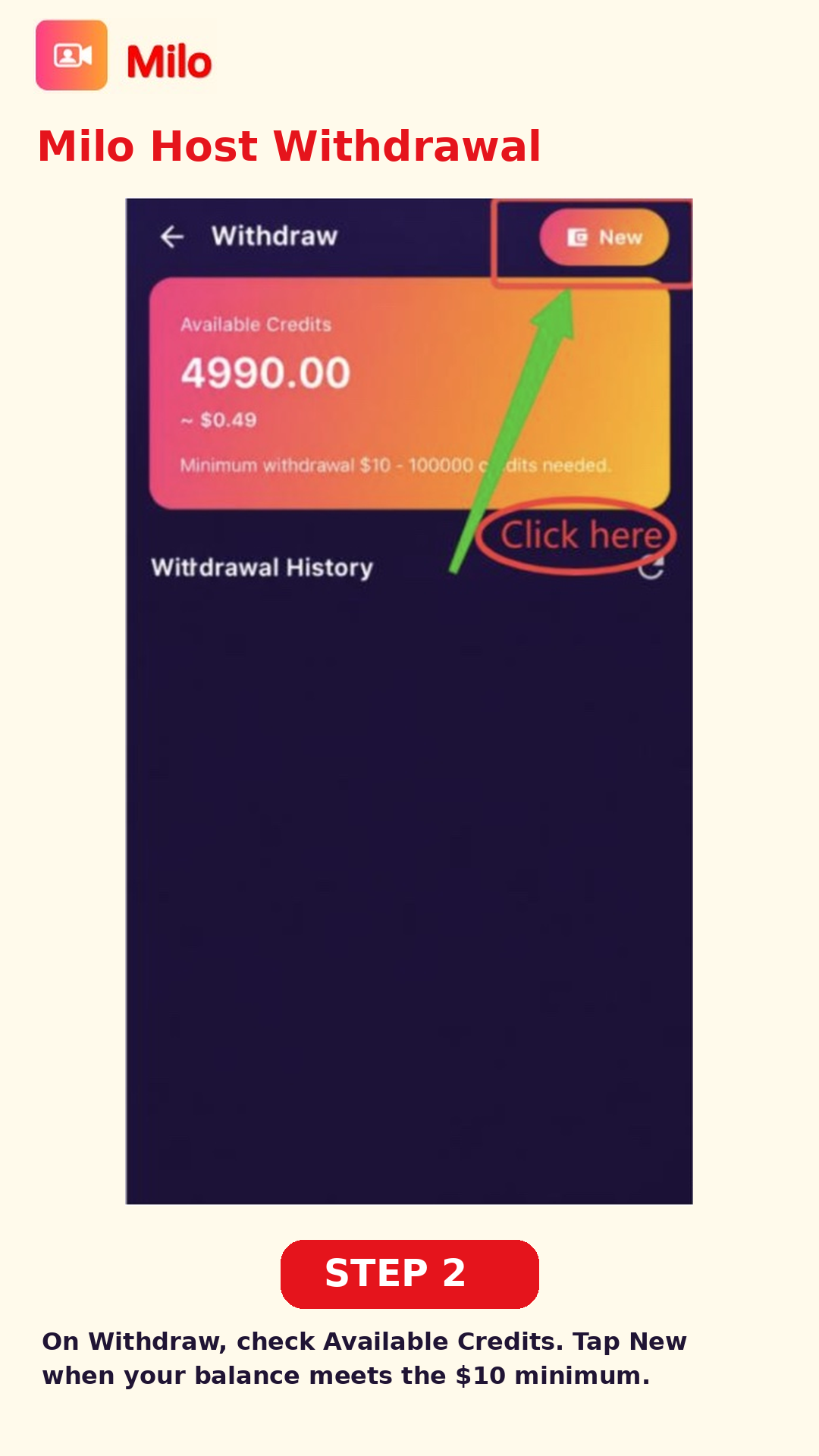
Step 2 of 3: Create a new withdrawalCheck your available balance and select New. You need at least 100,000 points ($10); the 4,990-credit example is below the minimum. 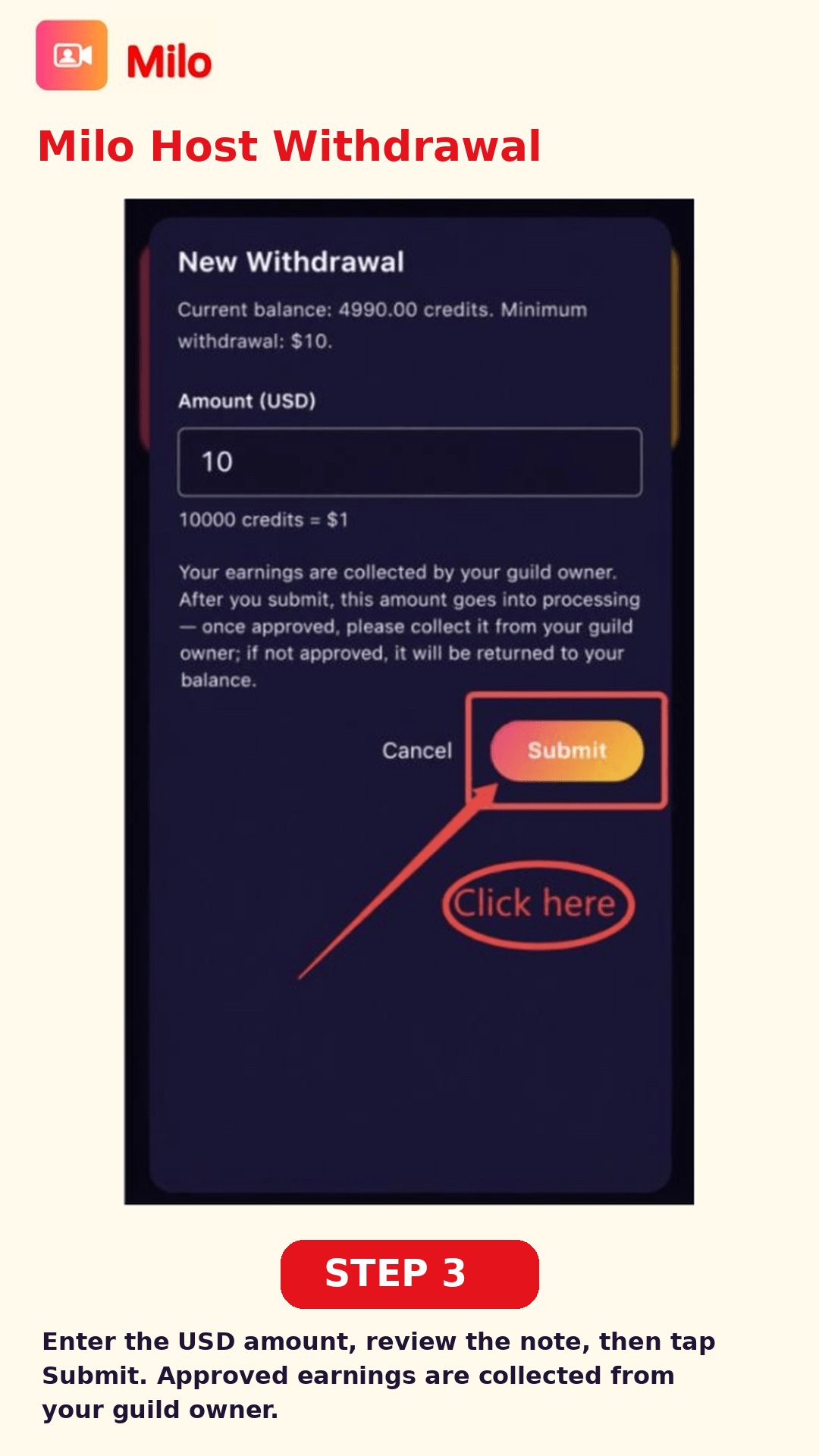
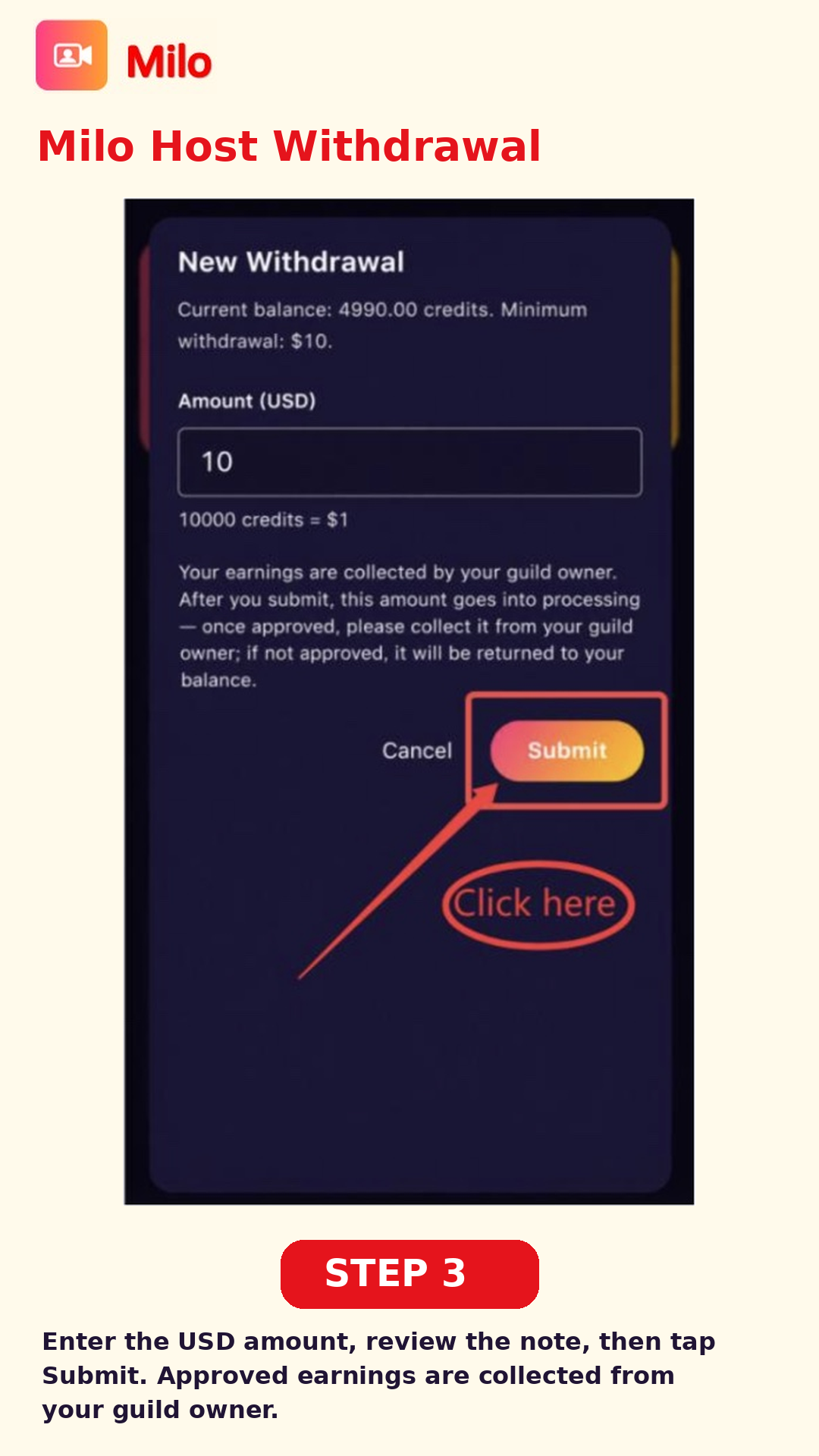
Step 3 of 3: Enter the amount and submitEnter the withdrawal amount in USD and select Submit. After approval, agency-affiliated hosts collect payment from their guild head.
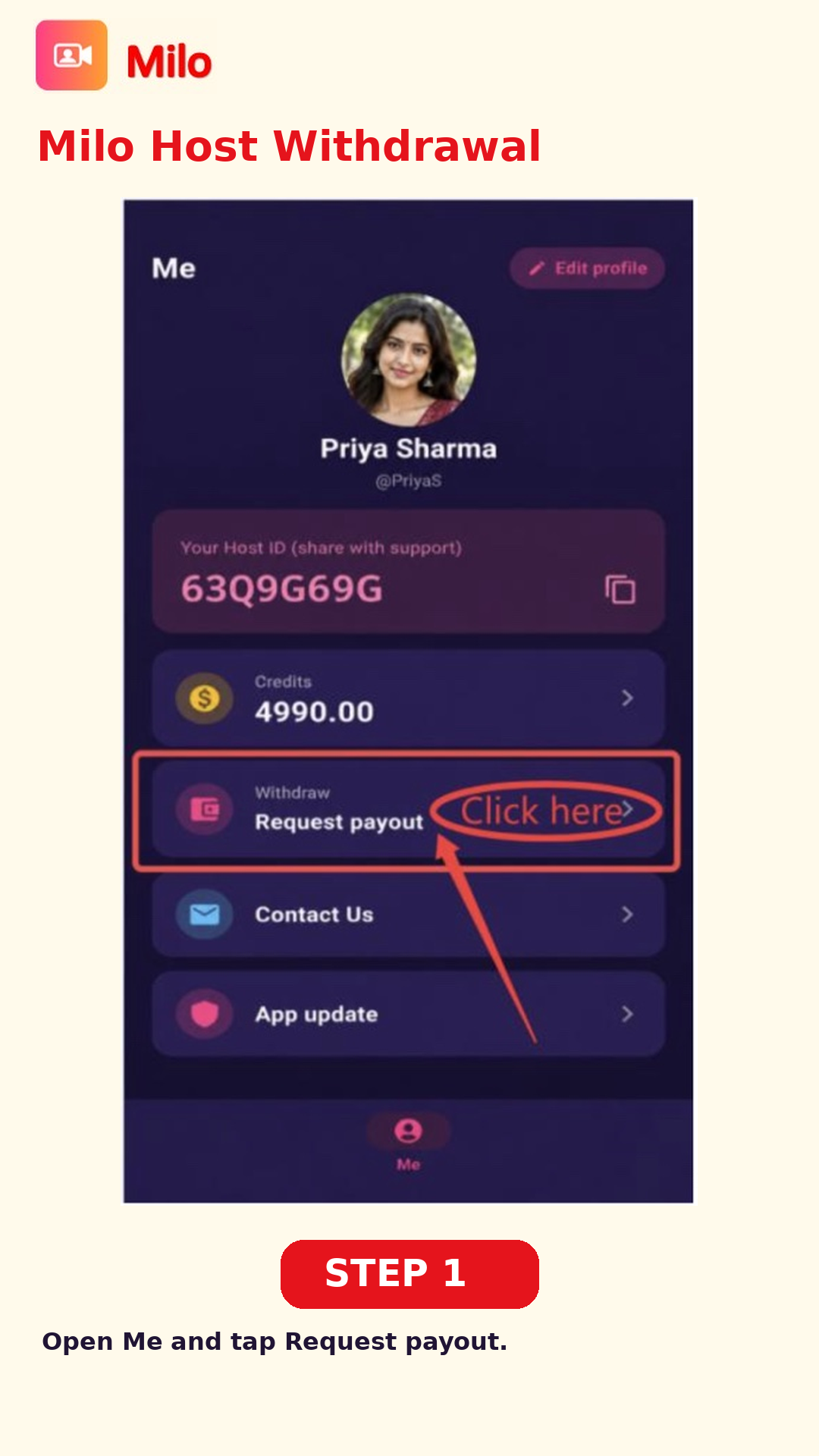
Open Request payout.
Go to Me and tap Request payout.
Start a new request.
On the Withdraw screen, check your available credits and select New. You need at least 100,000 points ($10) to meet the stated minimum.
Enter the amount and submit.
Enter the amount in USD and tap Submit. Review the request in Withdrawal History. For agency-affiliated hosts, collect the payment from your guild head after approval. The supplied screen says a request that is not approved is returned to your balance.
The tutorial screen displays a sample balance of 4,990 credits, which is below the stated minimum. It illustrates where the controls are; that sample balance is not enough to withdraw $10.
How to Withdraw Milo Agency Commission
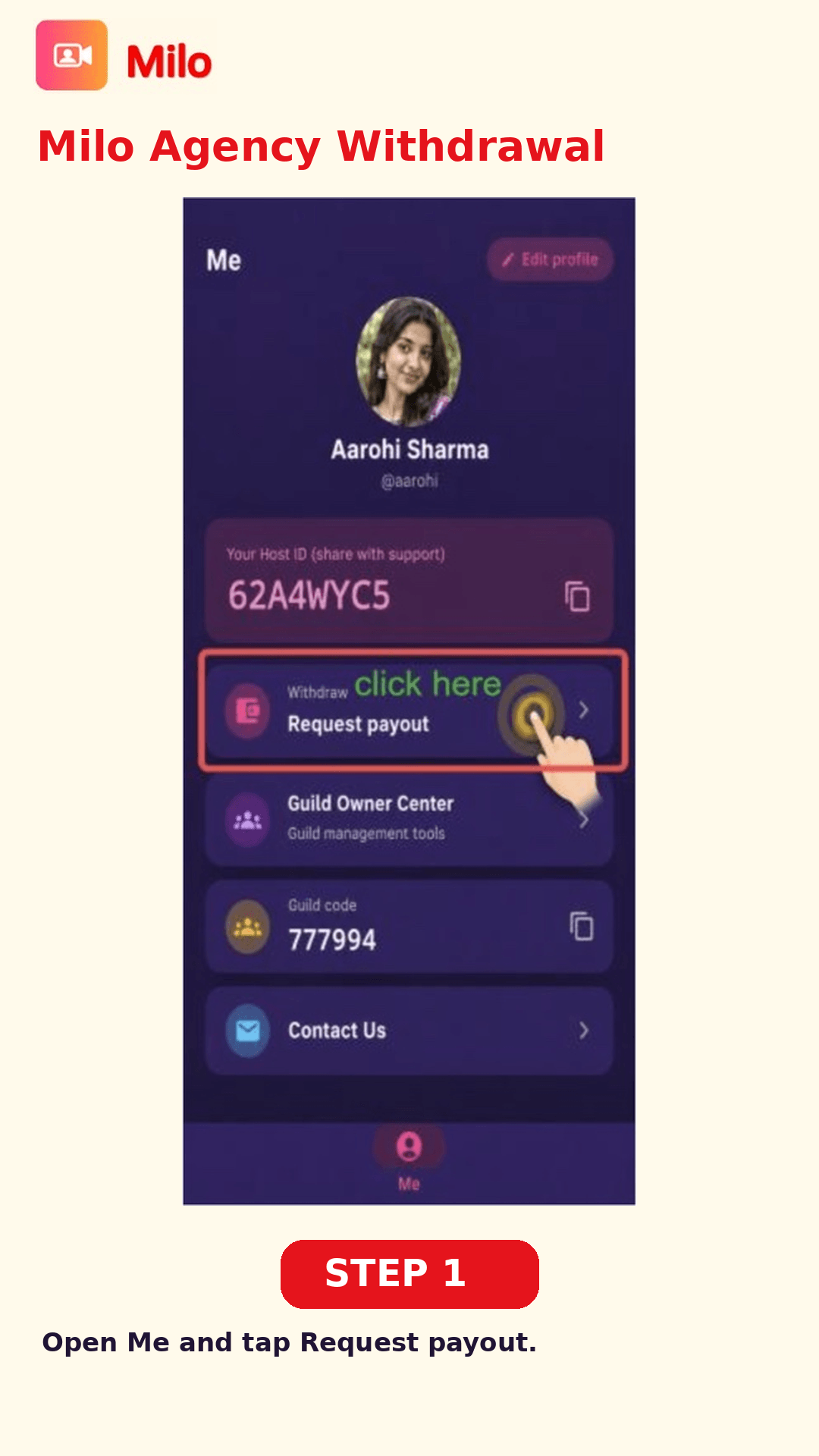
Step 1 of 5: Open Request payoutOpen Me and select Request payout. 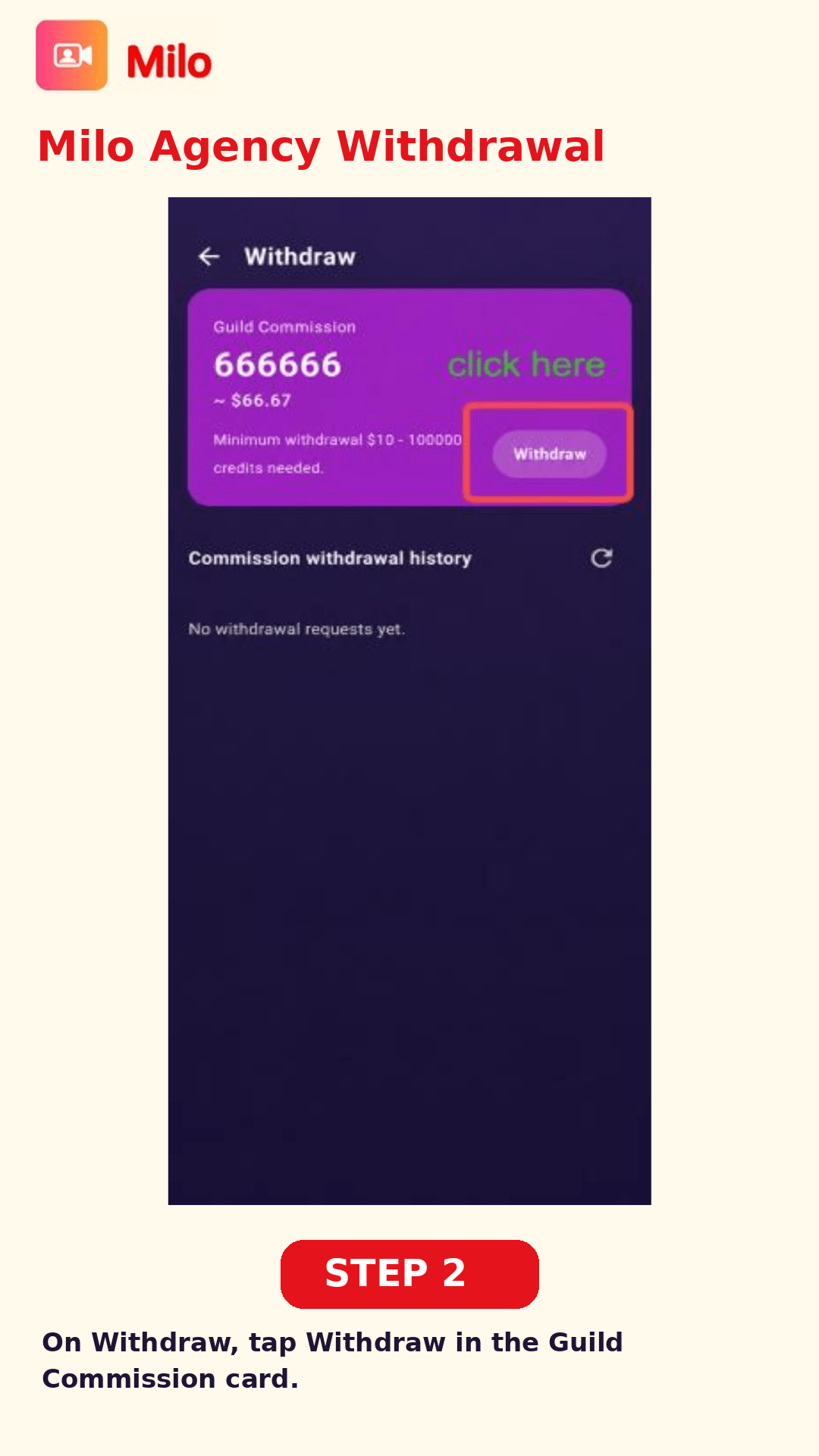
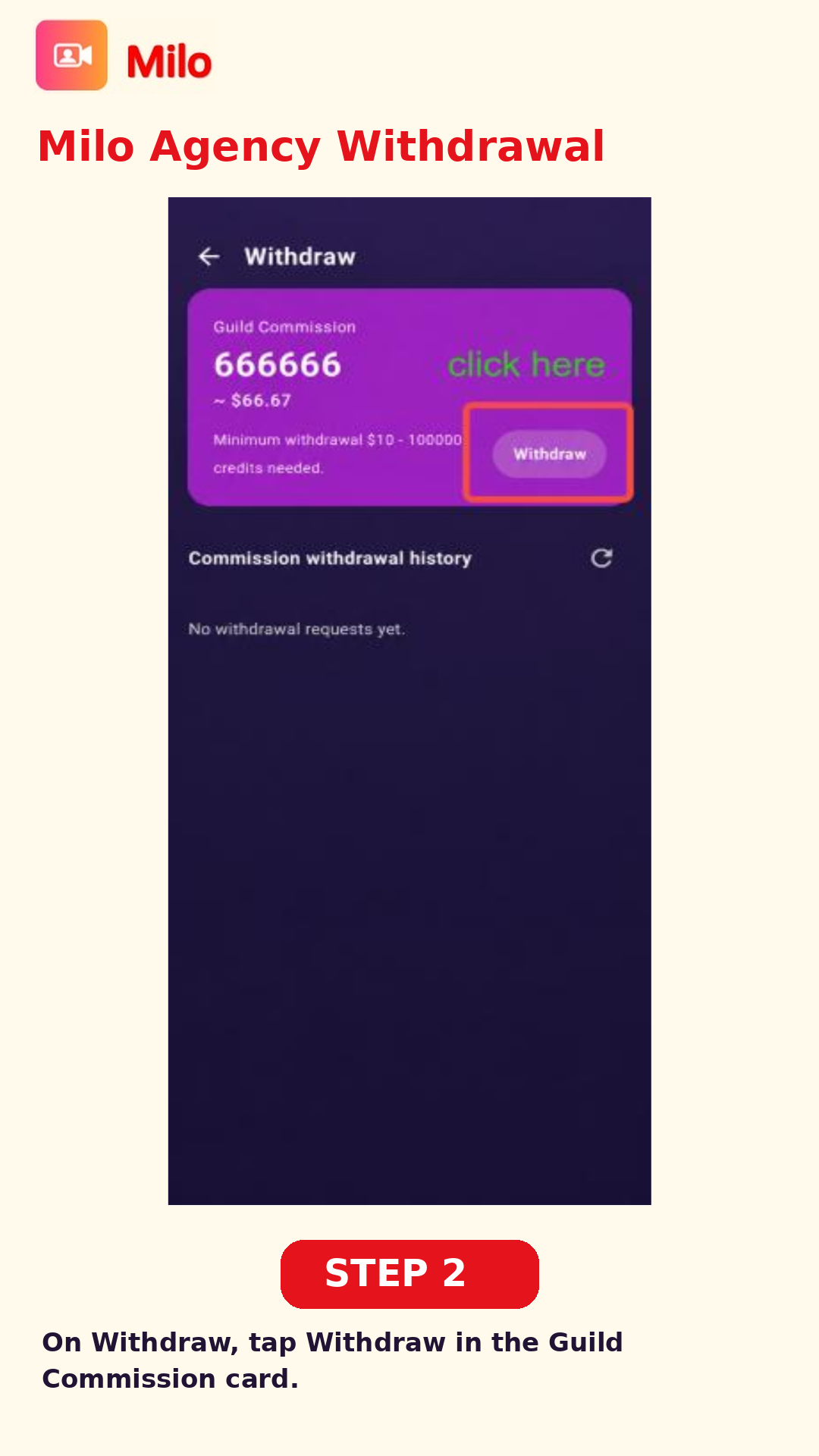
Step 2 of 5: Select WithdrawCheck your Guild Commission balance and select Withdraw. The supplied screen shows a $10 minimum. 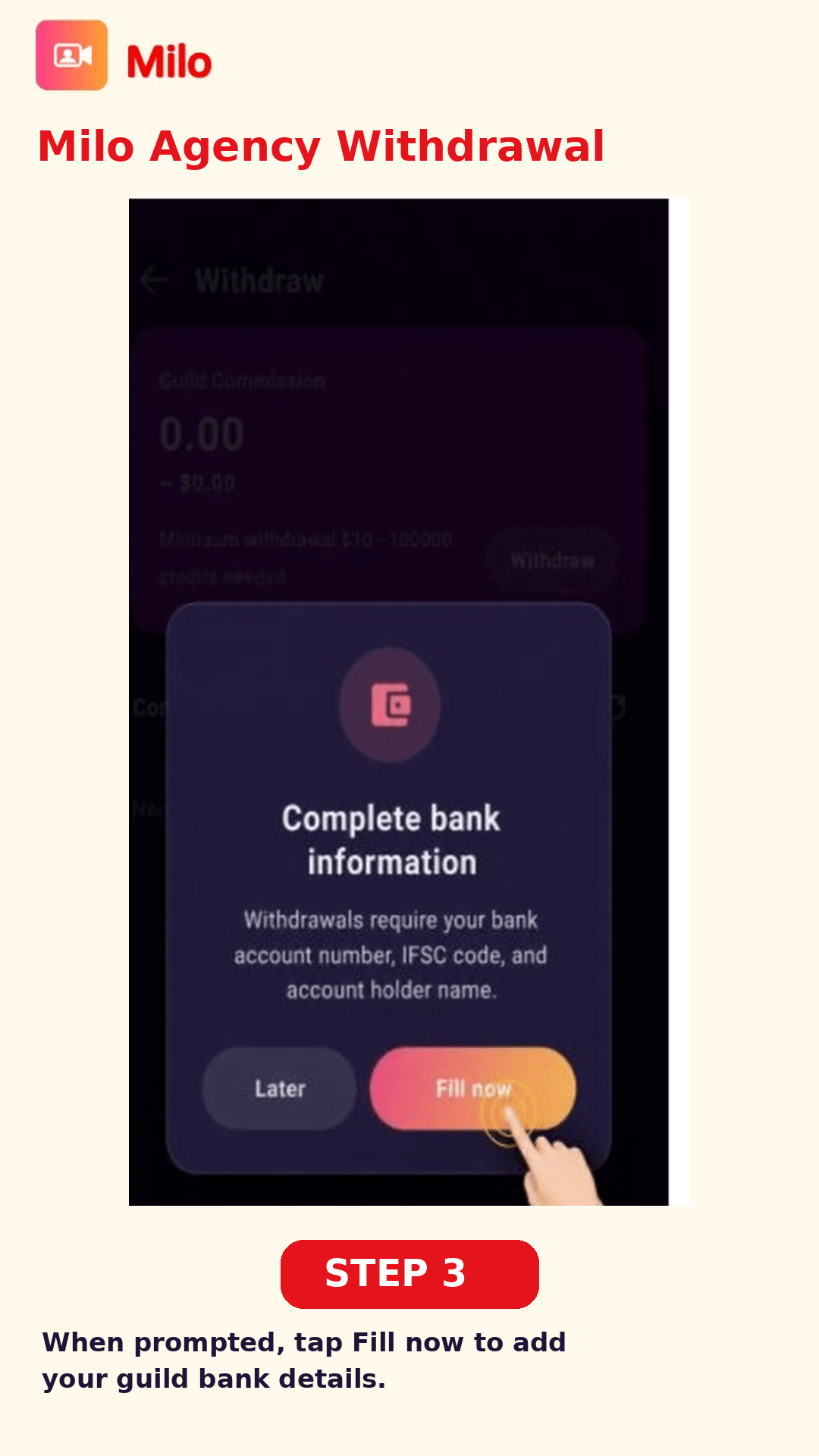
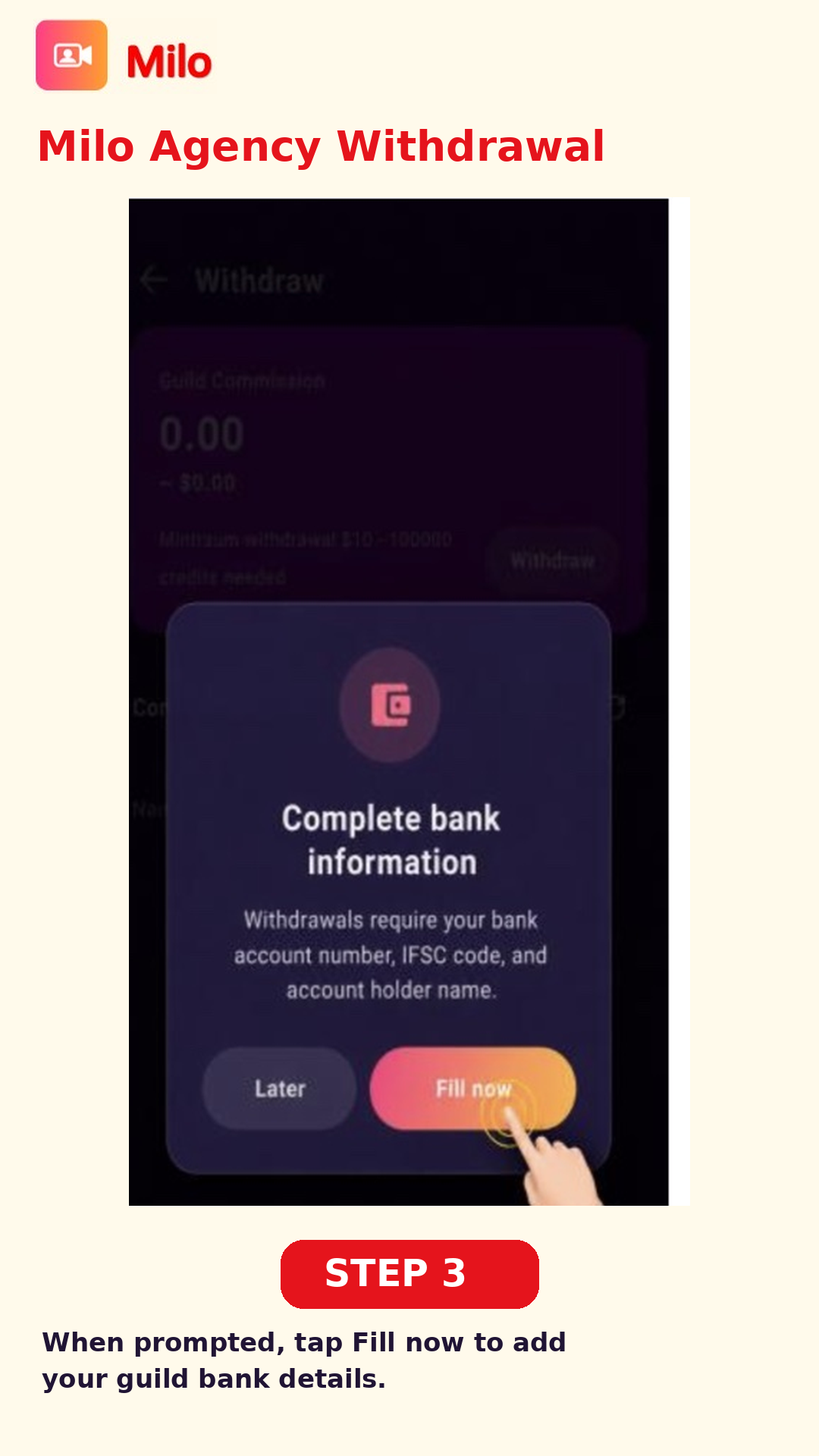
Step 3 of 5: Complete bank informationIf bank information is missing, select Fill now. If already saved, review your details before continuing. 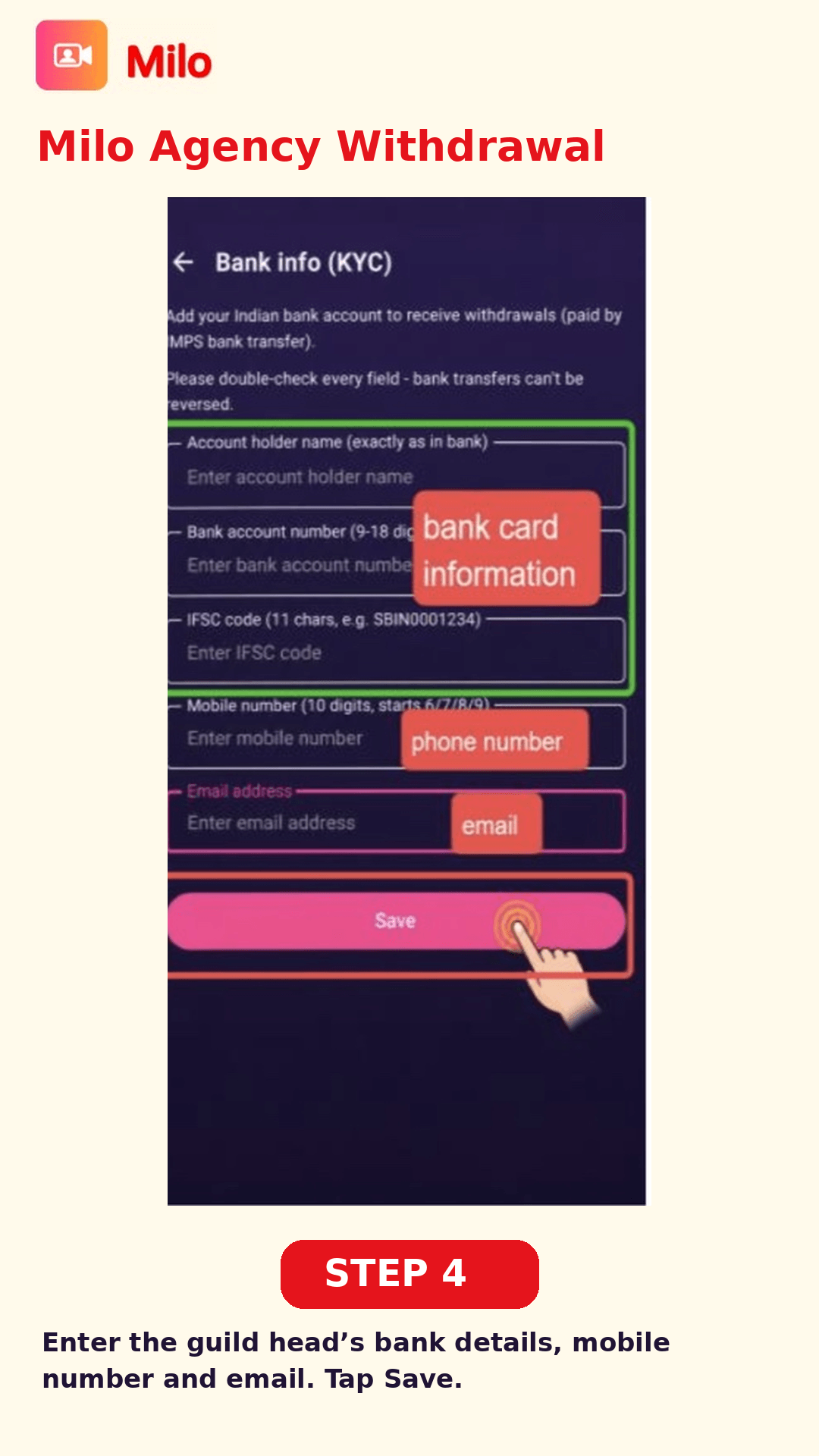
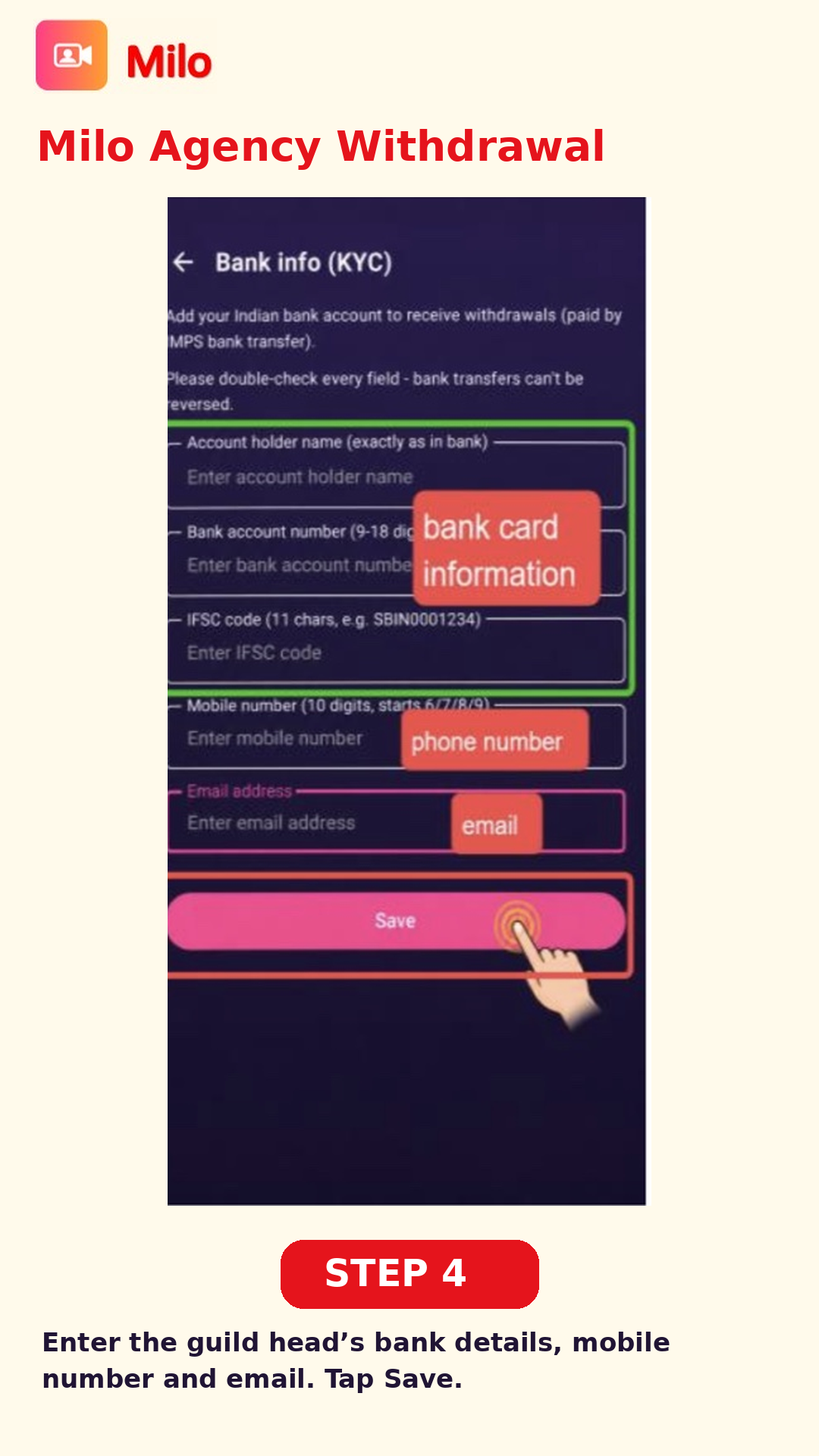
Step 4 of 5: Save bank and contact detailsEnter the account holder name, Indian bank account number, IFSC, mobile number and email. Check the details and select Save. 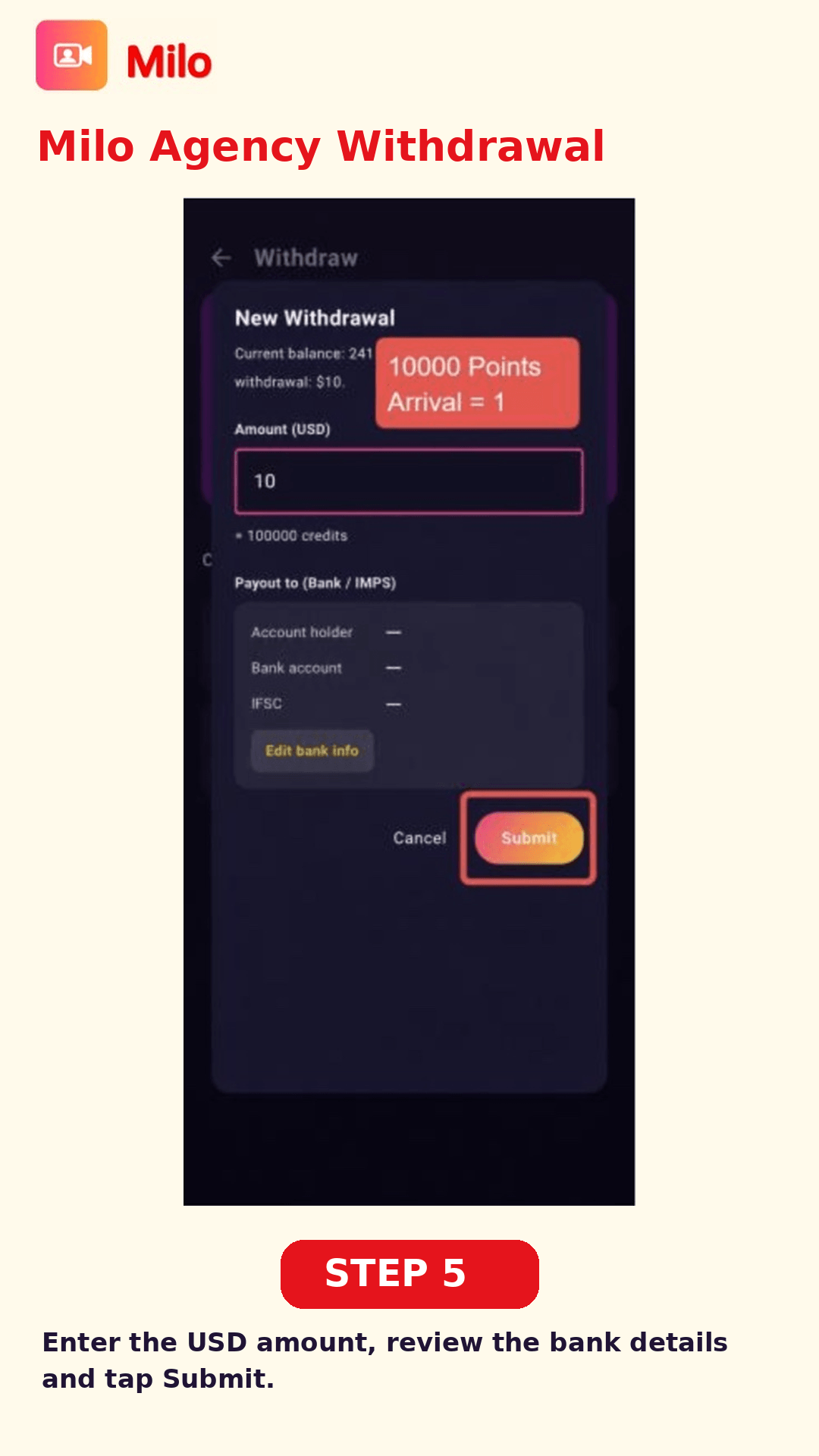
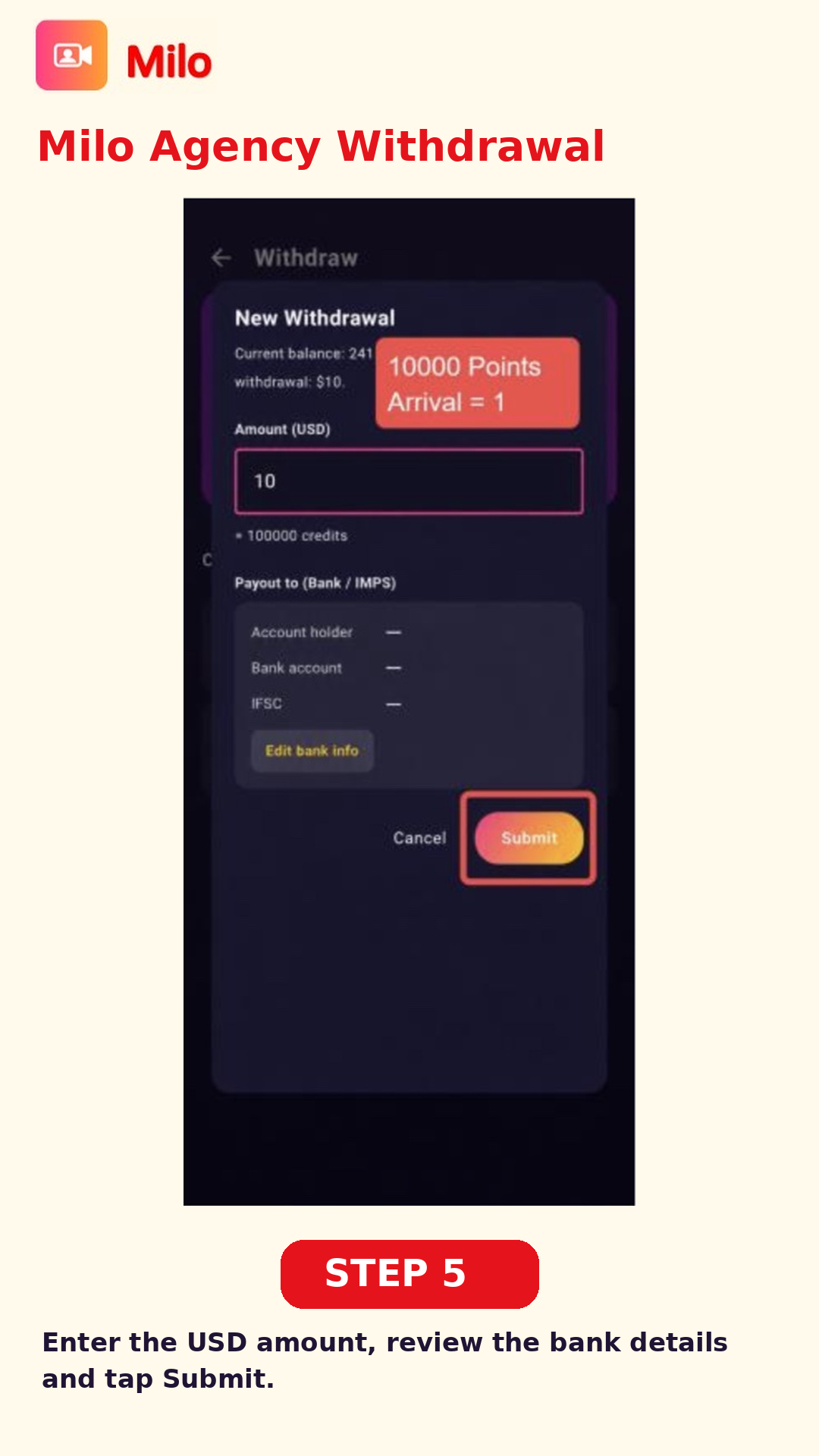
Step 5 of 5: Review and submit the withdrawalEnter the amount in USD, review Bank / IMPS payout details and select Submit. Check Commission withdrawal history for status.
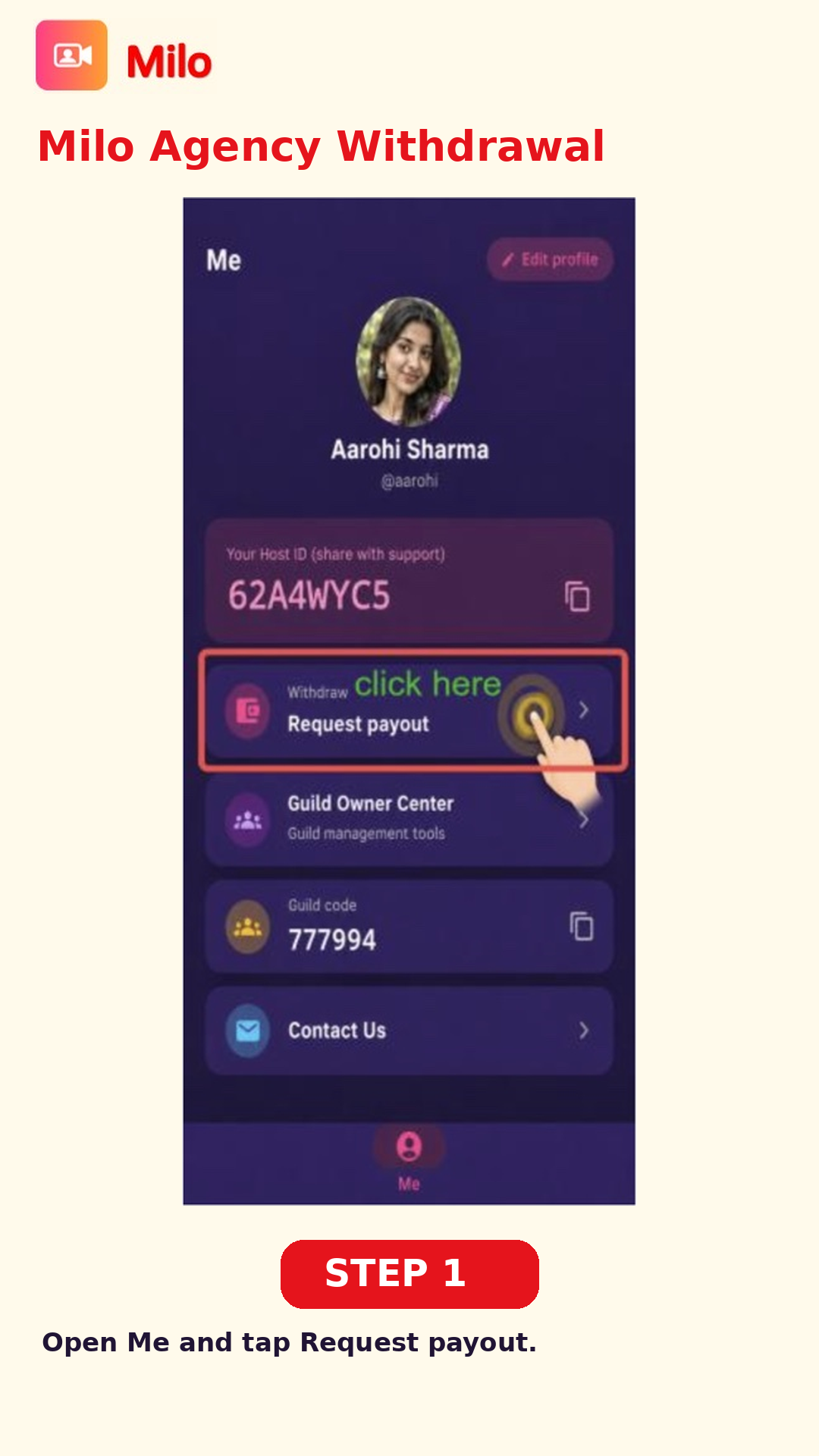
Open the payout area.
Go to Me and tap Request payout.
Choose the commission withdrawal.
On the Withdraw page, select Withdraw inside the Guild Commission card. Check the available balance and minimum shown in your app.
Add bank information if requested.
If the Complete bank information prompt appears, select Fill now. If your bank information is already saved, review it before continuing.
Save your bank details.
On Bank info (KYC), enter the account holder’s name exactly as registered with the bank, the Indian bank account number, IFSC code, mobile number and email address. Check every field, then tap Save.
Review and submit.
In New Withdrawal, enter the amount in USD, check the Payout to (Bank / IMPS) details, then select Submit. Use Commission withdrawal history to follow the request.
Enter payout details inside the Milo app, not into this information website. Do not share passwords or verification codes with someone offering withdrawal help.
Host and Agency Payouts Compared
| Role | Request method | Payment route in the supplied material |
|---|---|---|
| Host affiliated with an agency | Me → Request payout → New | Approved funds go to the guild head, who distributes payment to the host |
| Agency / guild head | Me → Request payout → Guild Commission → Withdraw | Separate commission payout to the guild head’s bank account |
| Independent host | Confirm with operations | Payment method must be confirmed with Milo operations |
Withdrawal FAQs
Why can’t I withdraw with fewer than 100,000 points?
The supplied minimum is $10, equal to 100,000 points. The sample screenshots do not override this requirement.
Does a host withdraw directly to a personal bank account?
For agency-affiliated hosts, the supplied policy routes the payment through the guild head. Independent hosts should contact operations to confirm their payment method.
Where do agencies add bank information?
Use the Fill now prompt and the Bank info (KYC) screen inside Milo. The five-step agency guide shows the fields to complete.
What if my request is still pending?
Check the withdrawal history in the app. Hosts should also check with their guild head; contact Milo operations for account or processing issues. No guaranteed processing time is stated in the supplied material.
Can a banned account withdraw?
The supplied policy says withdrawals cannot be processed while an account is banned, although remaining points are retained.
Stay Updated on WhatsApp
Follow our channel for app hiring updates. For a payment question, use the Milo app’s support options or contact your guild head.