

Milo Host Registration
Start Your Host Journey
Learn how to create your Milo host ID, prepare your profile and understand host withdrawals before you begin.
What You Need Before Registering
- Be at least 18 years old, as shown in the registration screen.
- Have a phone with a clear camera, a working microphone and a stable internet connection.
- Prepare your real profile photos and accurate account information.
- Get your agency’s six-digit invitation code if you are joining an agency.
How to Create a Milo Host ID
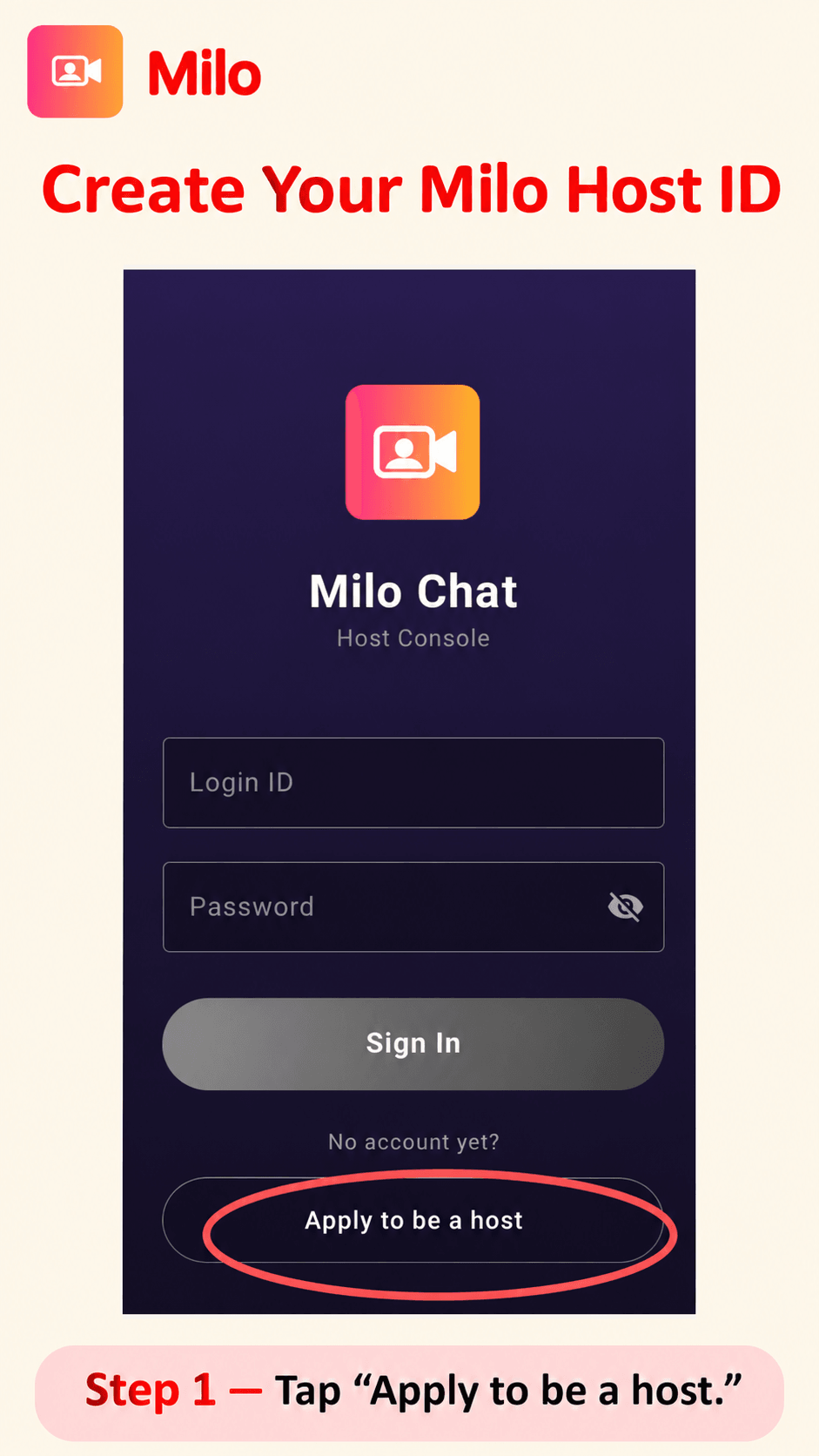
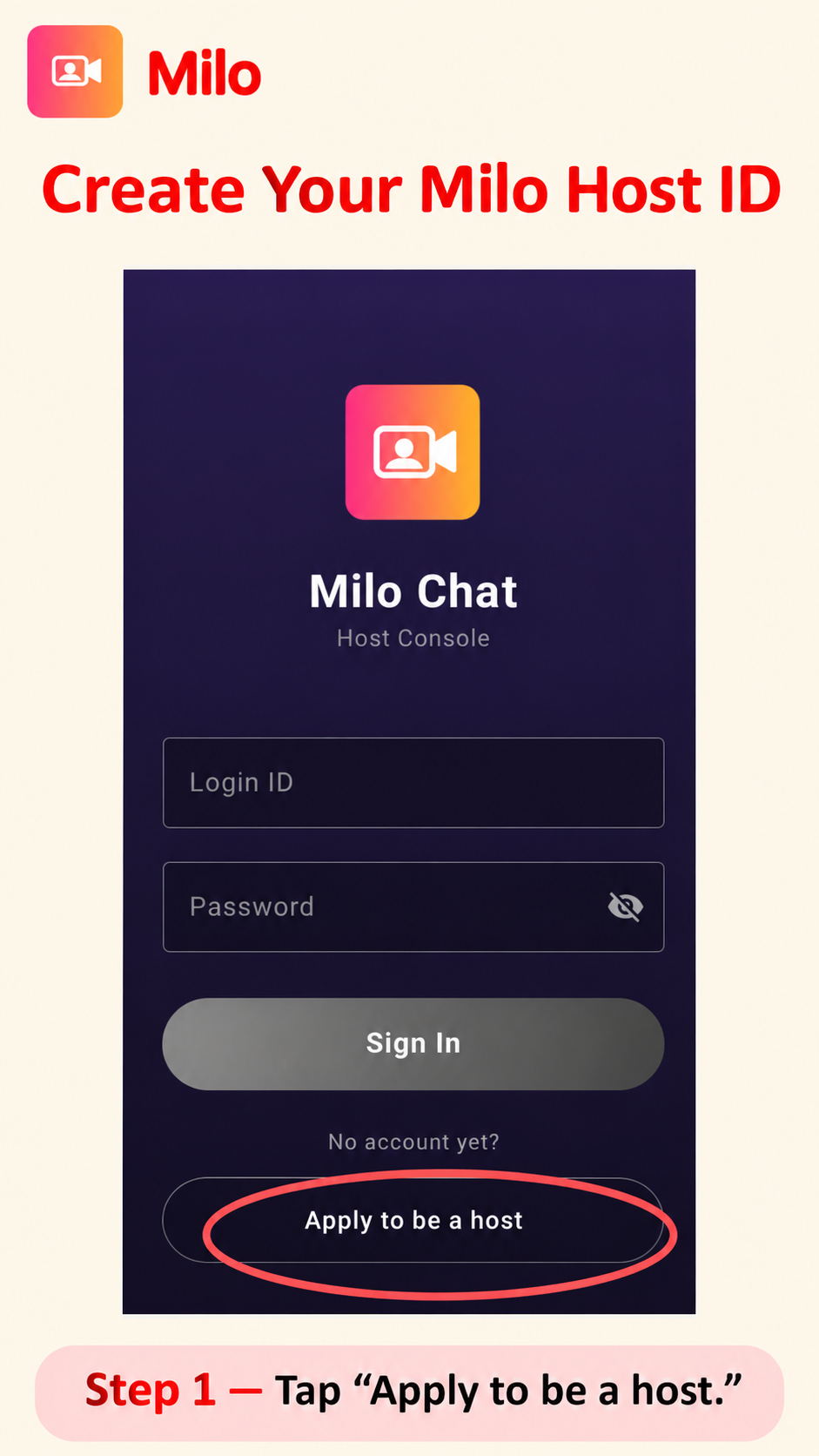
Step 1 of 3: Open host registrationOpen the Milo Host Console and select Apply to be a host. 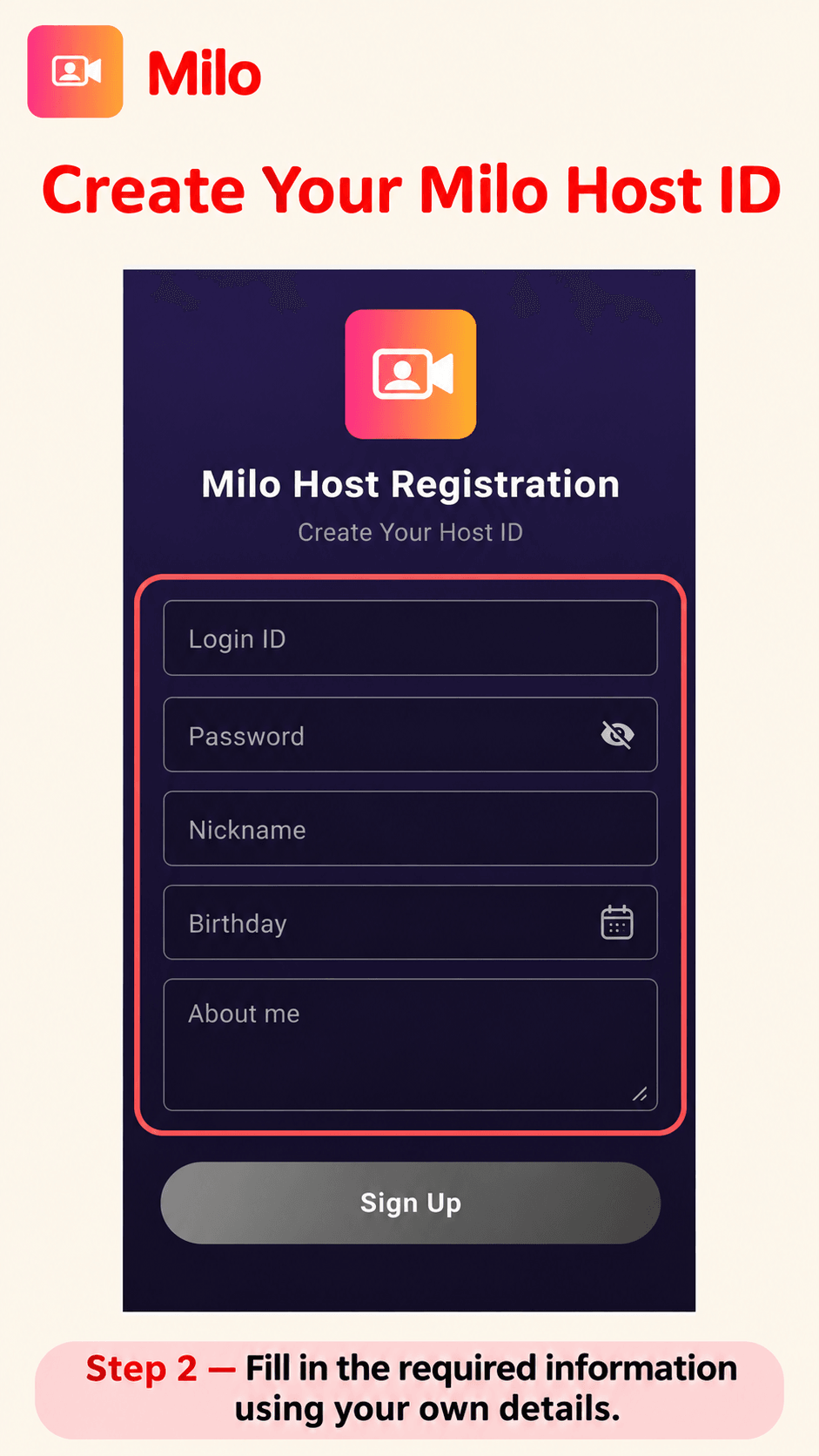
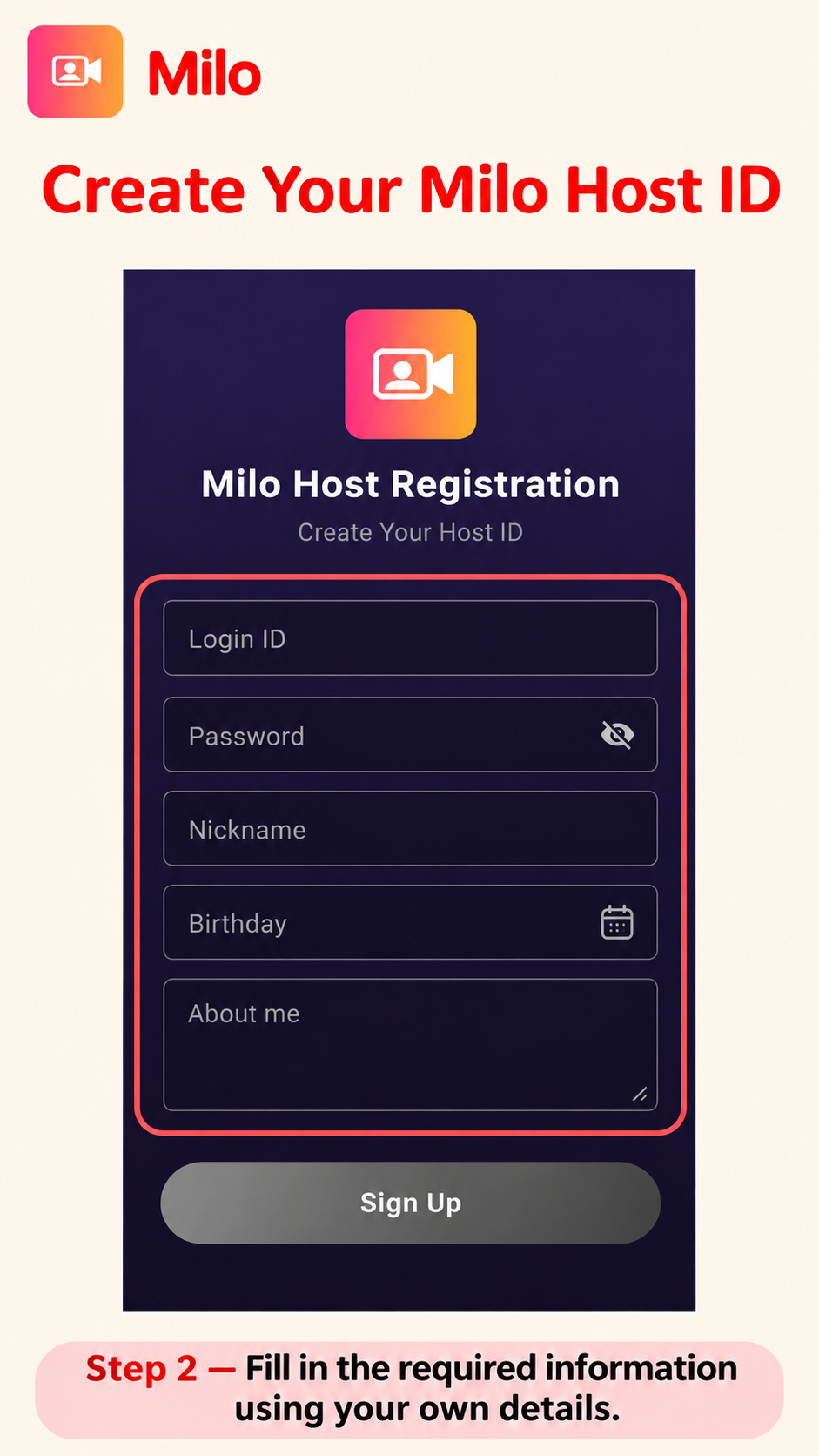
Step 2 of 3: Complete your profileEnter your own login and profile details. Follow the original app screen to submit; this approved illustration recreates the interface. 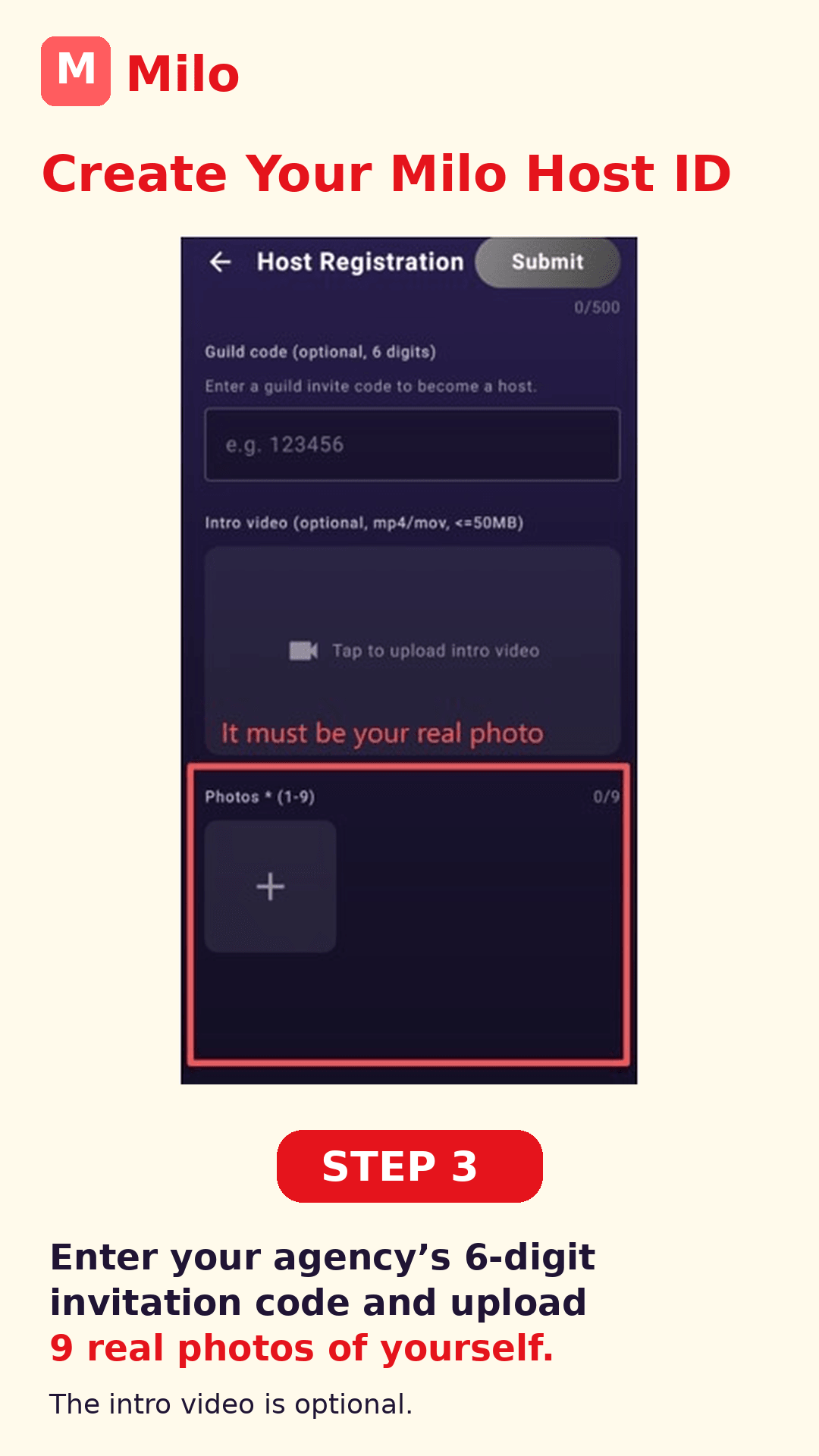
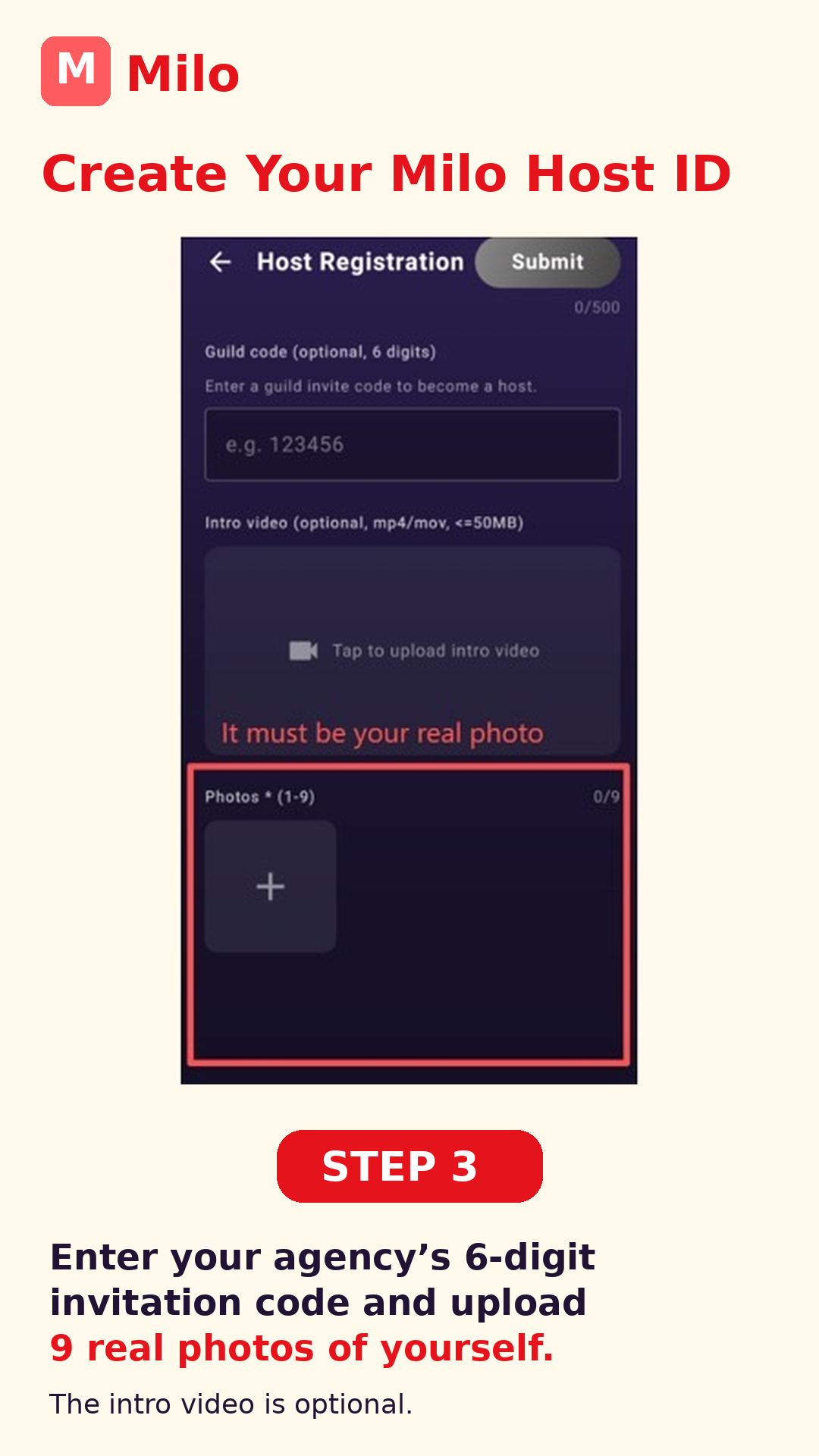
Step 3 of 3: Add agency code and photosEnter your agency’s six-digit invitation code and upload nine real photos as requested in the supplied guide. The introduction video is optional.
Open host registration.
In the Milo Host Console, tap Apply to be a host.
Complete your profile.
Choose your login ID and password. Enter your nickname and birthday, and add your avatar and profile information.
Add your agency code and photos.
Enter the six-digit invitation code supplied by your agency. Upload nine real photos of yourself as requested in the supplied host guide. The screen supports a maximum of nine photos. The introduction video is optional.
Submit your application.
Check your details and use the registration screen’s Submit control. After registration, find Your Host ID on the Me page and send that ID and your agency name to your agent. Your chosen login ID and the displayed Host ID are different fields.
Wait for approval.
Once your profile is approved, you can start your host journey. Approval is subject to Milo’s review.
Never share your login password or one-time verification codes when asking for registration help.
How to Work as a Milo Host
Before going online, choose a clean, private place with bright lighting and a reliable network. Check your camera and microphone, sit upright and keep your upper body visible. The supplied work guide does not allow lying down during a session.
When you are ready, open Match and tap the Offline button to go online. Keep the app in the foreground and follow Milo’s host conduct rules.
Read the Full Host Work Guide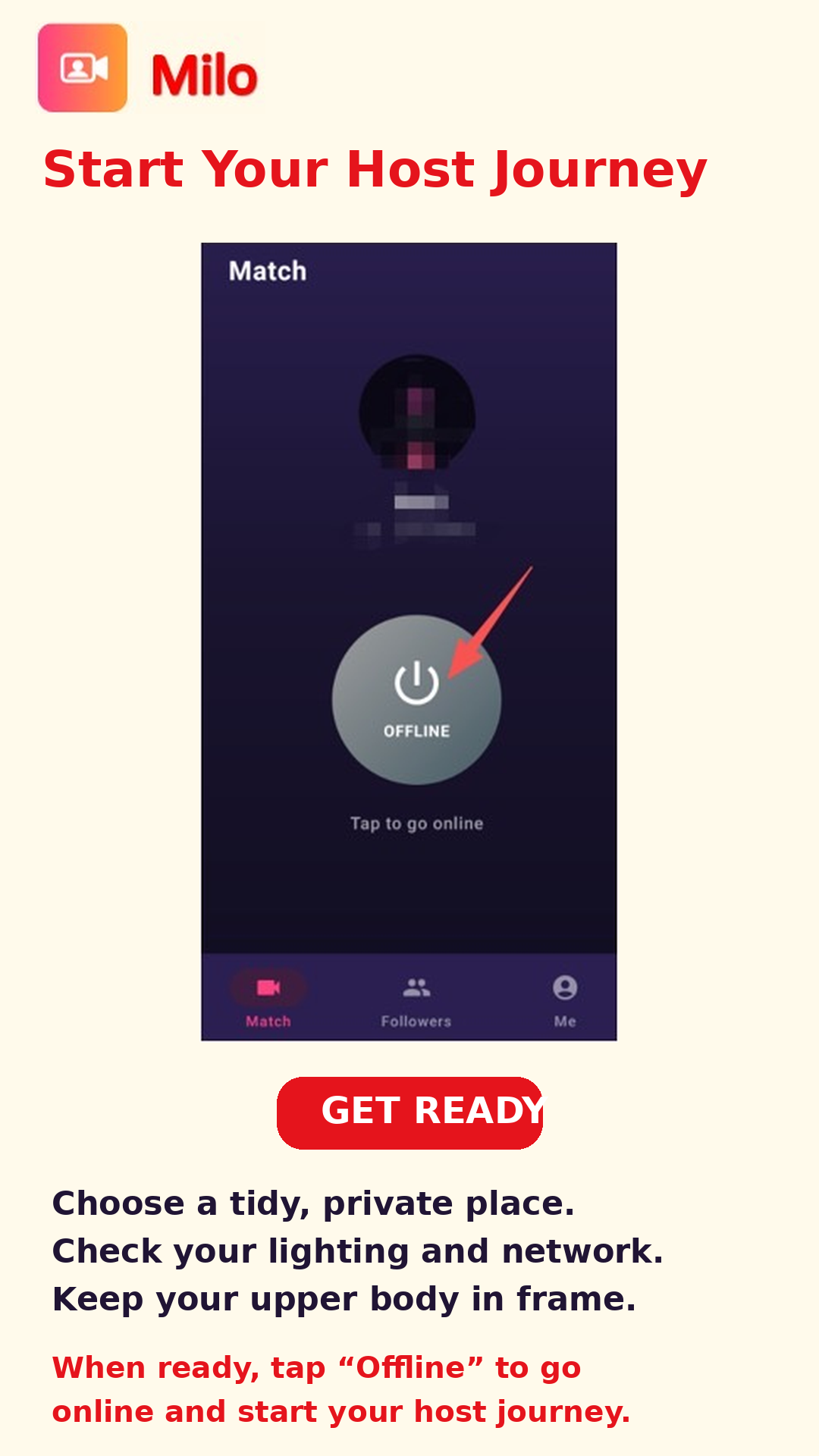
How Milo Host Earnings Work
Hosts earn points through eligible video call activity. The supplied policy uses 10,000 points = $1. The amount credited depends on the applicable activity and duration rules.
View Video Call RatesHow to Withdraw Your Milo Host Salary
Once you have at least 100,000 points ($10), open Me → Request payout → New, enter the amount in USD and submit your request. If you belong to an agency, your guild head distributes the approved payment. Independent hosts should confirm their payment method with Milo operations.
View the Host Withdrawal ProcessMilo Host FAQs
Can I register if I am under 18?
The supplied registration screen specifies 18+. This guide is for adults aged 18 or above.
Where do I get my agency invitation code?
Ask the agency you intend to join for its six-digit guild invitation code. Do not copy a sample code from a tutorial image.
Do I have to upload an introduction video?
The supplied screen labels the introduction video as optional. Follow any updated requirements shown in your own app.
When can I start my host journey?
After your application is approved. This guide does not promise an approval time.
Does following the WhatsApp channel create my host ID?
No. The channel shares updates. Complete your application in the Milo Host Console.